Anwender
Projektentwickler
Asset Manager
Kreditgeber & Investoren
Berater
Nach Branche
FlughäfenKrankenhäuserHotellerieRechenzentrenSportInfrastrukturCorporateBankenPROBIS Control schließt die Lücke zwischen Ereignis und Auswertung: Freigaben, Nachträge und Baufortschritt fließen unmittelbar in Kostenbericht, Prognose, Cashflow und Liquidität ein. Der Monatsbericht ist damit nur noch der Ausdruck dessen, was Sie bereits wissen.
PROBIS verbindet sich direkt mit SAP, MS Dynamics, Oracle und Yardi und liefert die Kennzahlen, die Sie brauchen ohne Ihre Abläufe zu stören.
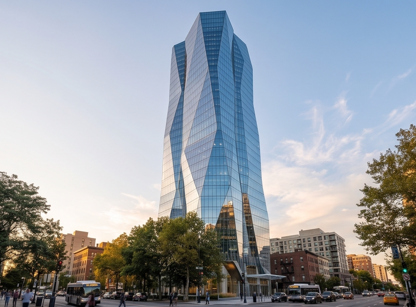
Denver Tower II
PROBIS Control schließt die Lücke zwischen Ereignis und Auswertung: Freigaben, Nachträge und Baufortschritt fließen unmittelbar in Kostenbericht, Prognose, Cashflow und Liquidität ein. Der Monatsbericht ist damit nur noch der Ausdruck dessen, was Sie bereits wissen.
PROBIS verbindet sich direkt mit SAP, MS Dynamics, Oracle und Yardi und liefert die Kennzahlen, die Sie brauchen ohne Ihre Abläufe zu stören.
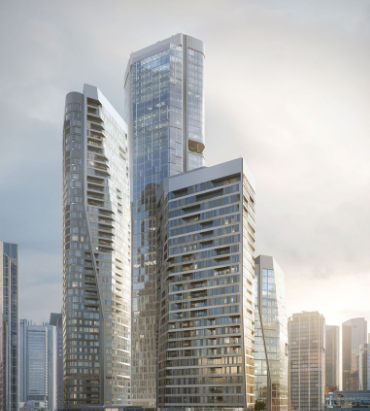
Frankfurt Tower II
Die aktuelle Kostenlage: Budget, Beauftragungen, Rechnungen und Kostenprognose auf einer Oberfläche, neu berechnet mit jeder Freigabe. Rechnungsworkflow, Detailbericht und Prognoserechnung greifen auf denselben Datenbestand zu.
Kostenbericht und Rechnungsworkflow ansehen →Gleiche Systematik, längerer Horizont. Planen Sie Investitions- und Betriebsbudgets auf Objekt-, Teilbereichs- oder Maßnahmenebene, in Zehnjahres- oder rollierenden Modellen. Maßnahmen werden erfasst, priorisiert, genehmigt und über einen Workflow freigegeben.
Zehnjahres-Maßnahmenmatrix ansehen →Die Zahlungspläne kommen aus Ihren Verträgen: Sicherheitseinbehalte, Ratenvereinbarungen, Zahlungsfristen und genehmigte Nachträge formen die Auszahlungskurve automatisch, eingehende Rechnungen passen sie an. Auswertung auf Projekt-, Phasen- oder Portfolioebene.
Plan-Ist-Vergleich der Auszahlungen ansehen →Eigen- und Fremdkapitalabrufe werden gegen die prognostizierten Auszahlungen modelliert. Die Finanzierungsdeckung wird fortgeschrieben, die Unterdeckung automatisch markiert. Eigenkapital-zuerst, pro rata oder individuelle Abrufreihenfolgen entsprechen dem Kreditvertrag.
Finanzierungsdeckung ansehen→Rechnung oder Dokument geht ein; PROBIS liest die Daten und ordnet sie dem Vertrag zu.
Der Freigabeworkflow leitet den Beleg in der festgelegten Reihenfolge weiter.
Beträge werden freigegeben, korrigiert oder abgelehnt. Status: freigegeben, dann bezahlt.
Budget, Kostenprognose, Cashflow und Liquidität aktualisieren sich im selben Schritt.
Jede Sicht auf Abruf — ohne manuelle Zusammenstellung.
Rechnung oder Dokument geht ein; PROBIS liest die Daten und ordnet sie dem Vertrag zu.
Der Freigabeworkflow leitet den Beleg in der festgelegten Reihenfolge weiter.
Beträge werden freigegeben, korrigiert oder abgelehnt. Status: freigegeben, dann bezahlt.
Budget, Kostenprognose, Cashflow und Liquidität aktualisieren sich im selben Schritt.
Jede Sicht auf Abruf — ohne manuelle Zusammenstellung.
Die Prognose entsteht aus denselben Vorgängen wie Ihr Kostenbericht. So erklären Sie jede Zahl, statt sie nachzurechnen.
Die Prognose entsteht aus denselben Vorgängen wie Ihr Kostenbericht. So erklären Sie jede Zahl, statt sie nachzurechnen.
Cash flow, liquidity, and the ten-year plan can otherwise quietly diverge across three separate spreadsheets. In PROBIS, all three are based on the same contracts and approvals.
| Measure | 26 | 27 | 28 | 29 | 30 | 31 | 32 | 33 | 34 | 35 | Status |
|---|---|---|---|---|---|---|---|---|---|---|---|
| Roof & envelope | 132 | 704 | 1,078 | 231 | 44 | | 99 | 418 | | 66 | Approved |
| HVAC equipment replacement | 61 | 264 | 1,298 | 836 | 176 | 77 | | 286 | 572 | | In workflow |
| Elevator modernization | | 418 | 495 | 132 | | 924 | 374 | | 66 | 198 | Prioritized |
| Energy retrofit · ESG | 319 | 1,012 | 759 | 462 | 253 | 116 | 55 | | | | Approved |
| Facade cleaning · OPEX | 94 | 94 | 99 | 99 | 116 | 105 | 110 | 110 | 105 | 105 | Released |
| Parking garage structure | | | 198 | 671 | 1,166 | 330 | | | 215 | 407 | Captured |
Cashflow, Liquidität und Zehnjahresplan laufen sonst in drei Tabellen unbemerkt auseinander. In PROBIS stammen alle drei aus denselben Verträgen und Freigaben.
| Maßnahme | 26 | 27 | 28 | 29 | 30 | 31 | 32 | 33 | 34 | 35 | Status |
|---|---|---|---|---|---|---|---|---|---|---|---|
| Dach & Fassade | 132 | 704 | 1,078 | 231 | 44 | | 99 | 418 | | 66 | Genehmigt |
| Erneuerung TGA | 61 | 264 | 1,298 | 836 | 176 | 77 | | 286 | 572 | | Im Workflow |
| Aufzugsmodernisierung | | 418 | 495 | 132 | | 924 | 374 | | 66 | 198 | Priorisiert |
| Energetische Sanierung · ESG | 319 | 1,012 | 759 | 462 | 253 | 116 | 55 | | | | Genehmigt |
| Fassadenreinigung · OPEX | 94 | 94 | 99 | 99 | 116 | 105 | 110 | 110 | 105 | 105 | Freigegeben |
| Parkhaustragwerk | | | 198 | 671 | 1,166 | 330 | | | 215 | 407 | Erfasst |
Jeder Benutzer sieht, was ansteht — mit Liegezeit.
Workflows, die bei einem definierten Ereignis selbst starten.
Hochladen, erkennen, erzeugen, archivieren.
Kontrolliert, versioniert, mit Begründungskennzeichen.
Für Monats- und Jahresabschluss.
Massenimport über CSV- oder XLSX-Vorlage.
Derselbe Bericht über mehrere Projekte.
Erfassen, was Ihr Prozess erfordert.
Externe Beteiligte sehen nur ihren Bereich.
From a data center to a hospital to a Berlin high-rise. Select a project to take a closer look.
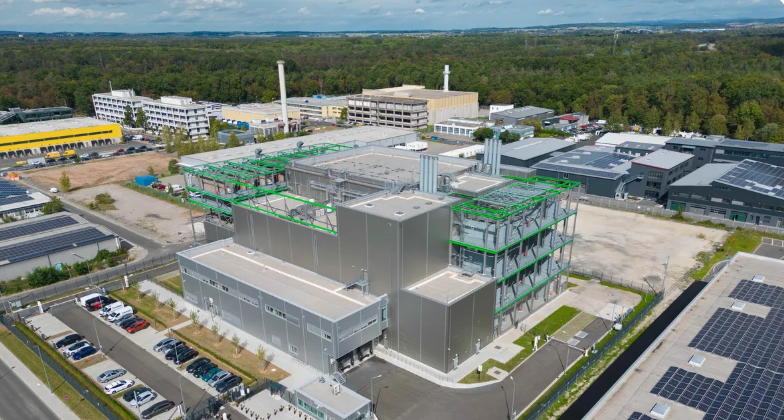
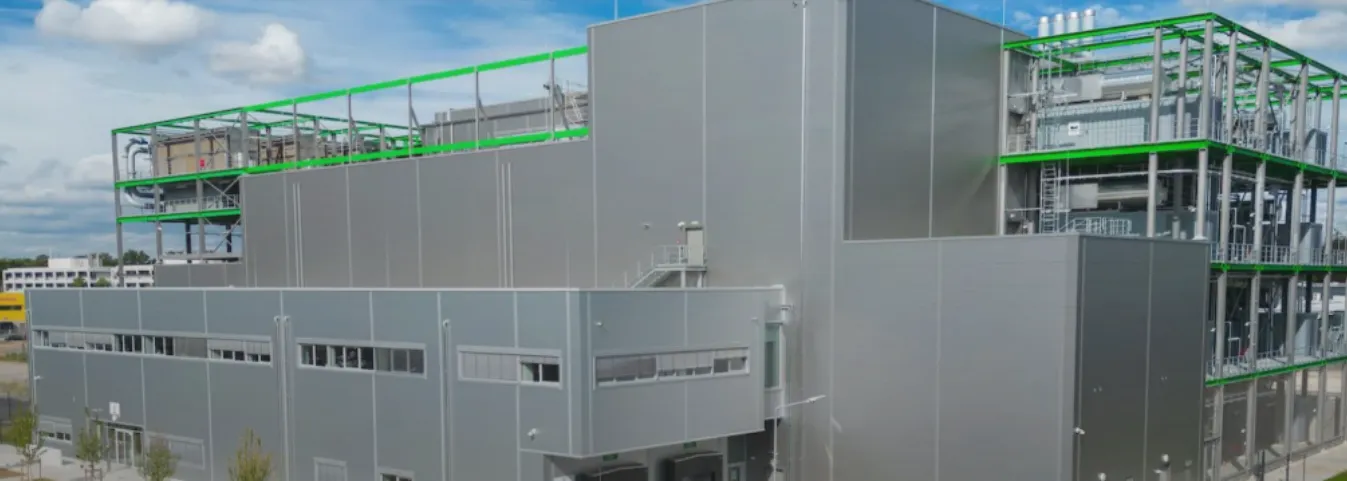
Google's data center in Hanau was developed by the NDC-GARBE joint venture, approx. 12 to 16 miles from the DE-CIX internet exchange in Frankfurt. The four-floor facility covers approx. 107,600 sq ft and carries approx. 15 MW of IT load, on a capex of approx. USD 172 million. PROBIS was in from pre-construction, with QS, proforma and cost control running from the start, so commitments and spend were tracked against the approved budget throughout delivery. The project was delivered on schedule and closed within approx. two percent of its approved budget.
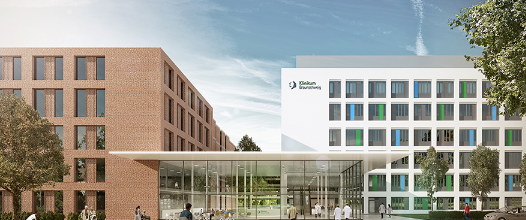
Read the full project profile →The expansion and renovation of Municipal Hospital Braunschweig combines new construction with the existing building around a new entrance building. The hospital treats more than 61,000 inpatients a year. Turner & Townsend manages the project’s cost and commercial management in PROBIS Control. Extensive process and interface technology, including a connection to thinkproject, keeps documents and costs in one live position.
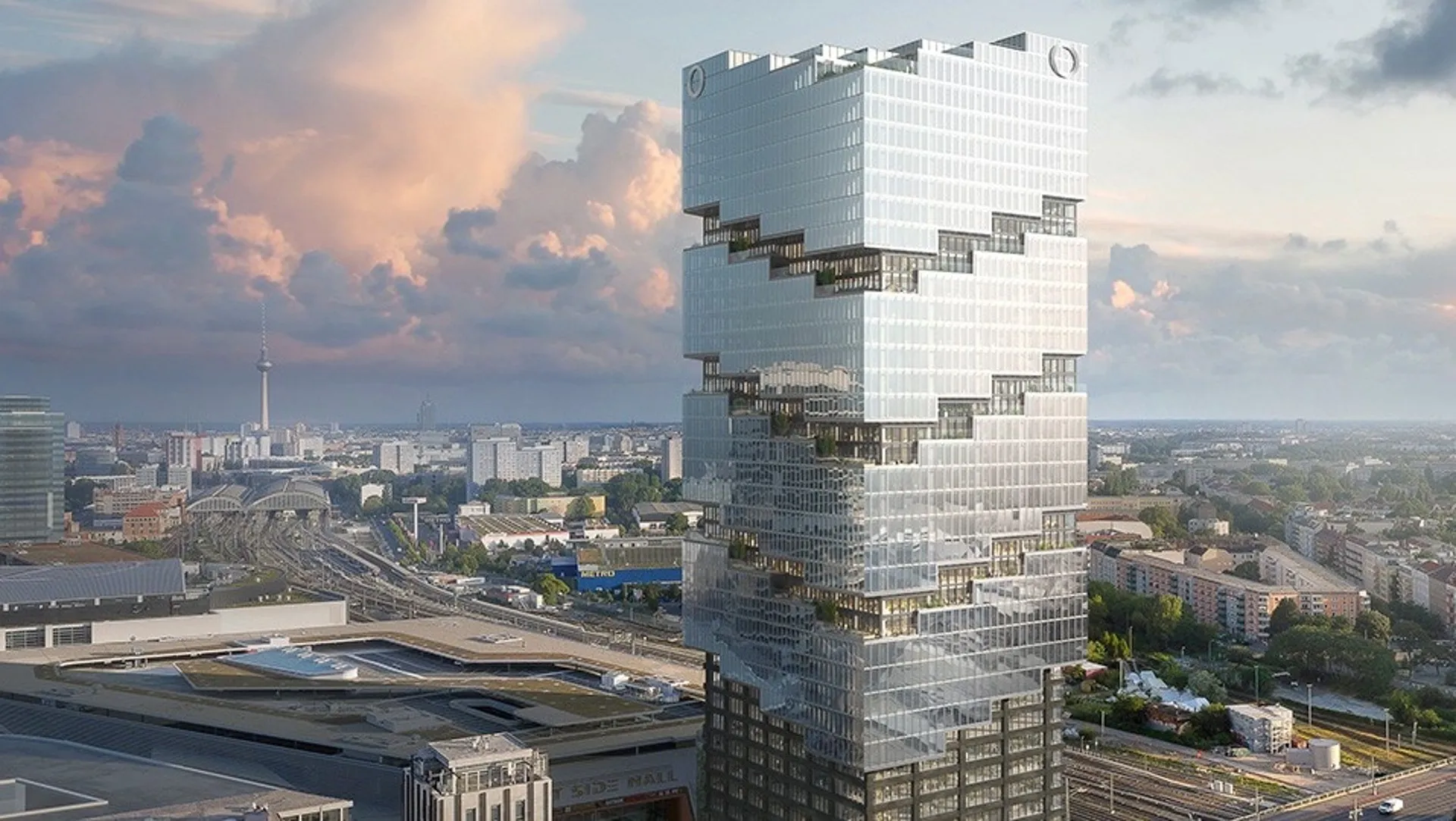
Read the full project profile →East Side Tower is a 466-foot, 38-story high-rise in Berlin-Friedrichshain designed by BIG and financing Amazon’s European headquarters. Construction monitoring runs on PROBIS for a consortium of Deutsche Pfandbriefbank, Commerzbank, Helaba, Berlin Hyp and Berliner Sparkasse. A project at this scale can involve 20 to 100 parties and generate up to 1,200 files. Project-Clock gives the banks centralized fund tracking, real-time risk detection and AI-generated reports in place of disconnected spreadsheets.
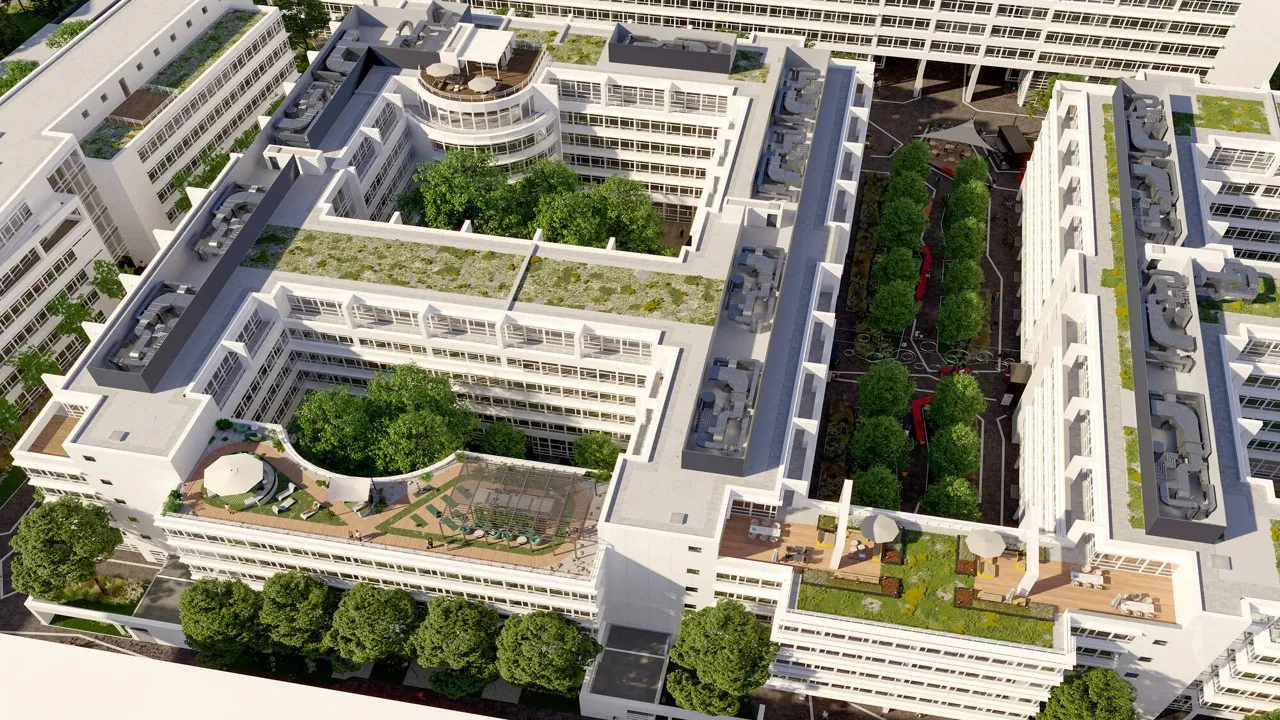
Read the full project profile →ANNI is a large office ensemble on St.-Martin-Straße in Munich. It was originally built for a Siemens campus and designed by the “School of Richard Meier.” The project covers modernization, structural additions and renewed outdoor areas, financed by a consortium led by Deutsche Pfandbriefbank. PROBIS provides construction monitoring throughout. It produces monthly reports on cost, schedule, quality and project organization that meet MaRisk and BCBS 239 requirements.
Read the full project profile →Vom Rechenzentrum über ein Klinikum bis zum Berliner Hochhaus. Wählen Sie ein Projekt, um es genauer anzusehen.
Das Rechenzentrum von Google in Hanau wurde von der NDC-GARBE Joint Venture entwickelt und liegt etwa 20 bis 25 km vom Internetknoten DE-CIX in Frankfurt entfernt. Die viergeschossige Anlage umfasst rund 10.000 m² und verfügt über eine IT-Leistung von rund 15 MW bei einem Investitionsvolumen von etwa 150 Mio. EUR. PROBIS war bereits in der Vorbereitungsphase eingebunden. QS, Proforma und Kostencontrolling liefen von Beginn an, sodass Verpflichtungen und Ausgaben während der gesamten Projektlaufzeit kontinuierlich mit dem freigegebenen Budget abgeglichen werden konnten. Das Projekt wurde termingerecht fertiggestellt und mit einer Abweichung von rund zwei Prozent vom freigegebenen Budget abgeschlossen.
Vollständiges Projektprofil lesen →Die Erweiterung und Sanierung des Städtischen Klinikums Braunschweig verbindet Neubau und Bestand rund um ein neues Eingangsgebäude. Das Klinikum behandelt jährlich mehr als 61.000 stationäre Patientinnen und Patienten. Turner & Townsend verantwortet das Kosten- und kaufmännische Management des Projekts in PROBIS Control. Umfangreiche Prozess- und Schnittstellentechnik, darunter eine Anbindung an thinkproject, hält Dokumente und Kosten in einer laufend aktuellen Position.
Vollständiges Projektprofil lesen →Der East Side Tower ist ein 142 Meter hohes Hochhaus mit 38 Geschossen in Berlin-Friedrichshain, entworfen von BIG, mit der Europazentrale von Amazon. Das Baumonitoring läuft in PROBIS für ein Konsortium aus Deutsche Pfandbriefbank, Commerzbank, Helaba, Berlin Hyp und Berliner Sparkasse. Ein Projekt dieser Größe kann 20 bis 100 Beteiligte umfassen und bis zu 1.200 Dateien erzeugen. Project-Clock gibt den Banken eine zentrale Mittelverfolgung, Risikoerkennung in Echtzeit und KI-generierte Berichte statt unverbundener Tabellen.
Vollständiges Projektprofil lesen →ANNI ist ein großes Büroensemble an der St.-Martin-Straße in München. Ursprünglich für einen Siemens-Campus errichtet, wurde es von der „School of Richard Meier“ entworfen. Das Projekt umfasst Modernisierung, Aufstockungen und neu gestaltete Außenanlagen und wird von einem Konsortium unter Führung der Deutschen Pfandbriefbank finanziert. PROBIS begleitet das Baumonitoring durchgehend und erstellt monatliche Berichte zu Kosten, Terminen, Qualität und Projektorganisation, die den Anforderungen von MaRisk und BCBS 239 entsprechen.
Vollständiges Projektprofil lesen →Die Rechnung wird hochgeladen oder importiert, ihre Daten werden automatisch erkannt und einem Vertrag sowie einem Titel zugeordnet. Anschließend läuft sie durch den für diesen Vertrag konfigurierten Workflow — ein- oder mehrstufig, mit zugewiesenen Teams. Die Freigebenden sehen Betrag, Vertragsstand und Budgetwirkung vor ihrer Entscheidung. Standardrechnungen in großer Zahl können als Sammellauf bearbeitet werden.
Ja. Die Rechte sind rollenbasiert und auf den jeweiligen Bereich begrenzt. Eine Bank oder ein externer Controller erhält eine definierte Sicht — üblicherweise Mittelabrufe, Baufortschritt und Kostenstand — ohne Zugriff auf das übrige Projekt.
Ja. Sie leitet sich aus Vertragskonditionen, Bauzeitenplan, eingegangenen Rechnungen und offenen Posten ab und verändert sich, sobald sich diese verändern — nicht erst, wenn jemand das Modell neu aufbaut.
Gleiche Systematik, anderer Horizont. Control steuert die Kosten eines Projekts in der Umsetzung; CAPEX/OPEX steuert das mehrjährige Investitions- und Betriebsbudget von Objekten in Ihrem Bestand. Viele Kunden nutzen beides: Aus dem CAPEX-Plan entstehen Projekte, die dann in Control abgewickelt werden.
Ja. Der Datenwürfel hält alle Merkmale zu jedem Vorgang. Sie können nach DIN-276-Kostengruppe, Kostenstelle, Bauteil, Fachplaner, Bauabschnitt, Vertrag oder eigenen Feldern filtern und auswerten — in der Regel in Kombination.
Wir zeigen Ihnen, wie lange die Erstellung in PROBIS dauert und was Sie darin zusätzlich gesehen hätten.
Sicherheit & Compliance
Finanzdaten von Immobilienprojekten müssen den Anforderungen von Kreditgebern, Investoren und Aufsichtsbehörden genügen. Unser Sicherheitskonzept hält auch einer eingehenden Prüfung stand, weit über Checklisten hinaus.